Highlight the web.
Mark what matters on any page. Gleanify keeps every passage with its source, answers your questions with citations, and grows a wiki from everything you have read.
- Works offline, no account needed
- Free on the Chrome Web Store
- Every answer cites its source
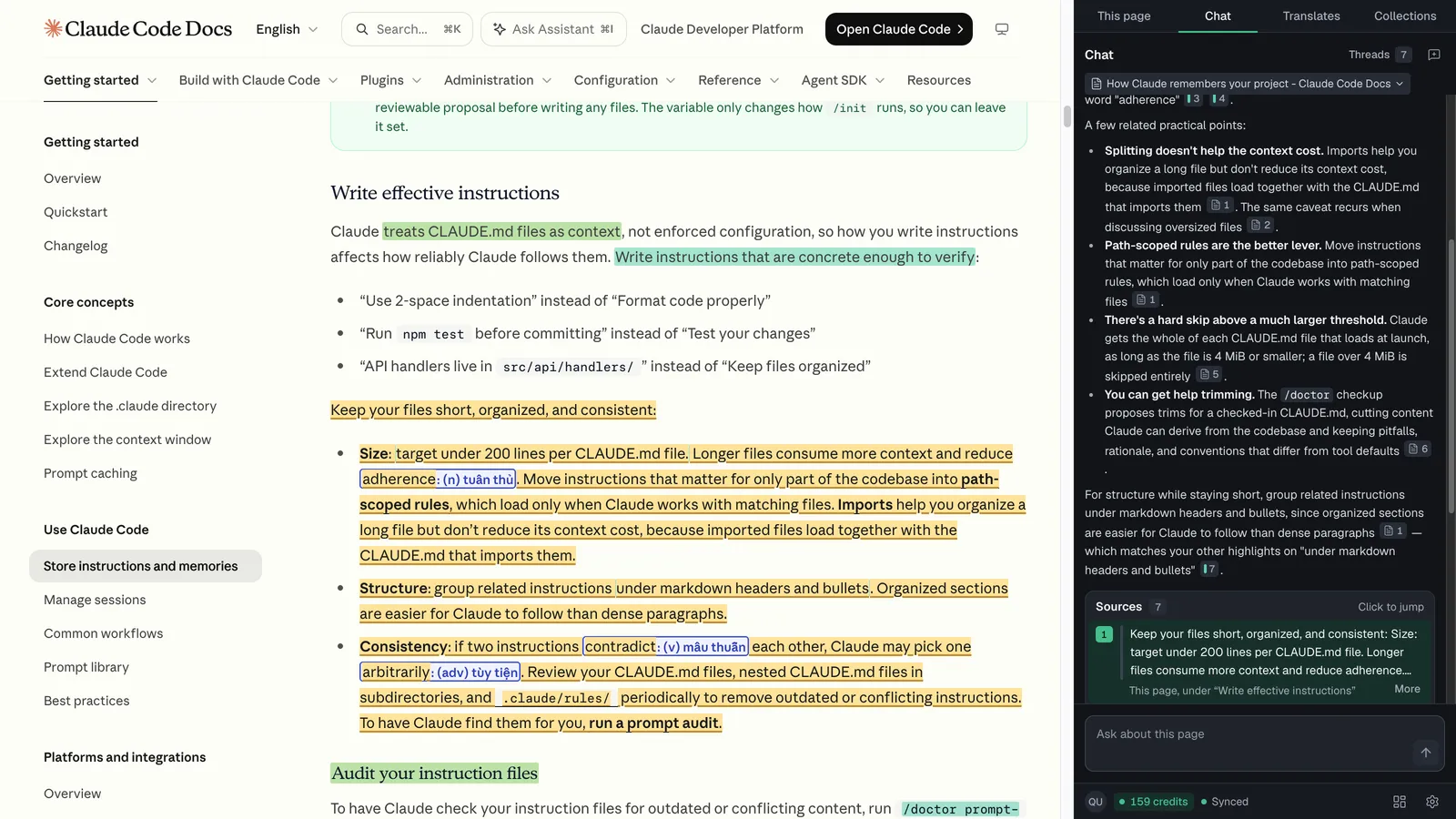
One highlighter that remembers what you read
Highlight any page in six colours
Select text and pick a colour from the toolbar, or press a shortcut. Highlights come back when you reopen the page, even after the page changes.
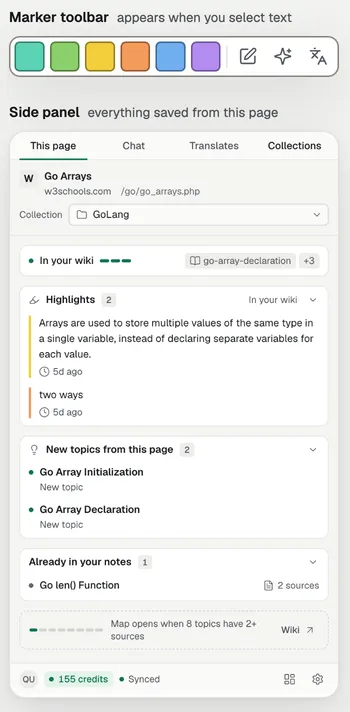
- Select and mark. Six colours, a note, Ask and Translate in one bar.
- Use the keyboard. Alt+1 to Alt+3 apply a colour, Alt+Shift+H turns Gleanify off for a tab.
- See it in the side panel. Each page lists its highlights, its collection and the topics it adds to your wiki.
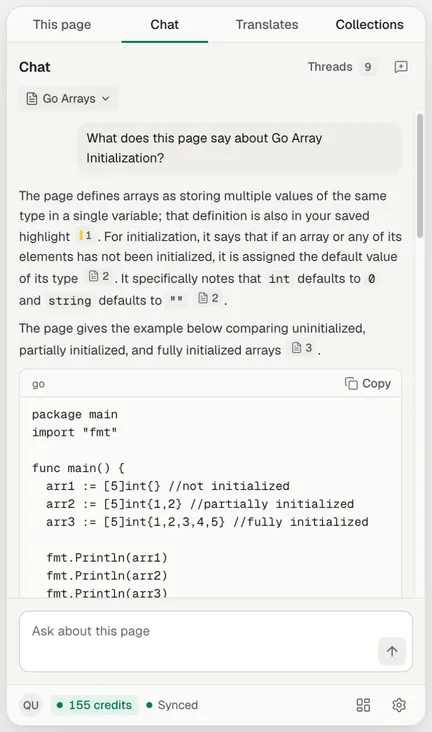
Ask the page. Jump to the exact sentence.
Chat reads the page you are on and your highlights. Every claim carries a numbered source, and clicking it scrolls the page to the sentence it came from.
- Ask in plain words. You see what a question will cost before you send it.
- Check every claim. Markers point back to the page or to your highlight.
- Keep the thread. Code blocks stay intact and threads are saved per page.
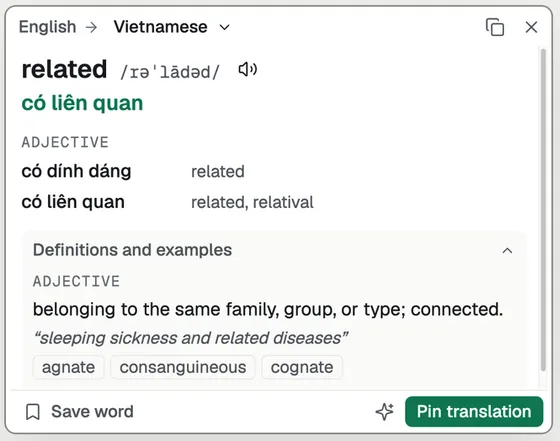
Translate in context. Keep the words you learn.
Select a word or phrase and read it in your language without leaving the page. Meaning, pronunciation and examples sit in one card.
- Pin translation. The meaning stays next to the word as you read on.
- Save the word. History and saved words stay in the Translates tab.
- Practise later. Saved words feed flashcards and fill-the-gap practice.
Your reading becomes a connected wiki
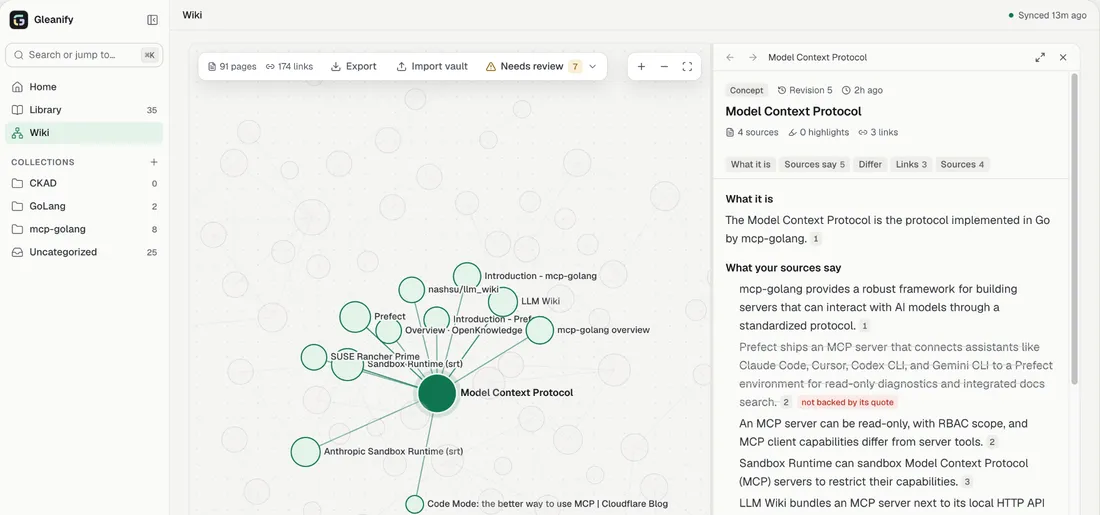
Gleanify writes concept pages from the pages you highlight. Each claim cites a verbatim quote, a claim its quote does not back is flagged, and the links between pages form a graph you can explore.
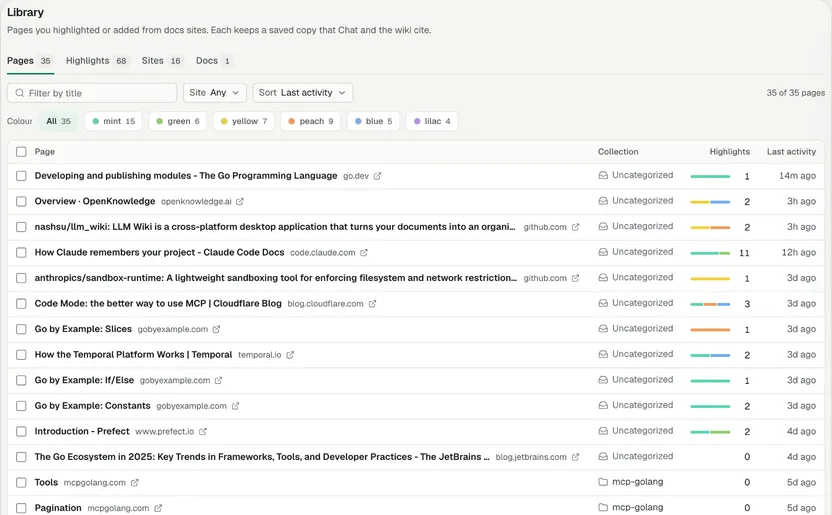
Every page and highlight, in one place
Filter by colour, site or collection and search the full text. Each page keeps a saved copy that Chat and the wiki cite, and collections follow your Chrome tab groups.
- File as you browse. A tab group can become a collection in one click.
- Add docs sites. Reference docs sit next to the pages you read.
Learn what you highlight
Turn a page or a whole collection into study material made from what you chose to keep, not from a generic deck.
Flashcards
Cards from your highlights and saved words.
Quizzes
Check what you actually retained.
Mind maps
See how the ideas in a collection connect.
Reports and diagrams
A cited summary of a topic you read about.
Your next highlight starts your wiki
Free to install, no account needed to start.
Built for people who read to learn
Developers
Docs, blog posts and release notes all day. Ask about a library and get the answer with the sentence it came from.
Students
Group course reading into collections and turn them into flashcards and quizzes before the exam.
Non-native English readers
Translate a hard word in place and keep it with the passage you found it in.
- Works without an accountHighlights live in your browser. Sign in only when you want sync, the dashboard and AI.
- Page copies only with your consentGleanify saves a readable copy of a page only when you allow it.
- Your data is yours aloneRow-level security keeps every account's data apart, and AI keys never reach your browser.
Pricing
Highlighting, notes and translation are free. AI features use credits, and you see each question's cost before you send it.
- FreeFreeHighlights, notes, translate and sync, with credits to try AI.
- ProComing soonMore credits each month for chat, the wiki and study tools.
Questions
What is Gleanify?
A browser extension and web dashboard. You highlight what matters as you read, and Gleanify keeps each passage with its source so you can search it, ask questions about it and study from it.
Do I need an account?
No. The extension works fully offline. Sign in with Google, or as a guest, to sync your highlights and use the dashboard and AI features.
How do the citations work?
Each claim in an answer has a numbered marker. Click it and the page scrolls to the exact sentence, or opens the highlight it came from.
Which browsers does it support?
Gleanify is on the Chrome Web Store for Chrome. The dashboard runs in any modern browser.
Is it free?
Highlighting, notes and translation are free. AI features such as chat, the wiki and study tools use credits, and you see what a question costs before you send it.